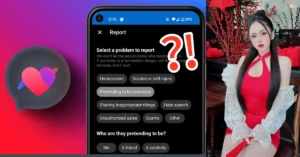
On Facebook Dating, user safety and comfort are top priorities. However, there may be times when you encounter someone who behaves inappropriately, makes you feel uncomfortable, or violates Facebook’s community standards.
In such situations, it’s important to know how to report or block that person. Reporting helps Facebook investigate and take necessary action against harmful behavior, while blocking immediately stops the person from contacting or seeing your dating profile. Both features are designed to protect your privacy and ensure a safer dating experience.
How to Report or Block Someone on Facebook Dating App
Facebook Dating was designed to help people build meaningful connections in a safe and respectful environment. Unfortunately, not every interaction goes smoothly sometimes users may encounter inappropriate messages, fake profiles, or individuals who make them uncomfortable.
To maintain your safety, Facebook provides easy tools to report or block someone directly within the Dating app. Here’s a detailed guide on how these features work and how you can use them effectively.
1. Understanding Reporting and Blocking
Before taking action, it’s important to understand the difference between reporting and blocking:
-
Reporting alerts Facebook to investigate a user’s behavior or content that violates the platform’s Community Standards or Dating Policies. When you report someone, Facebook reviews the case and may remove their profile, issue warnings, or take other enforcement actions.
-
Blocking, on the other hand, stops a specific person from contacting you, viewing your Dating profile, or matching with you again. Blocking is instant and private the person will not be notified that they’ve been blocked.
Both options can be used separately or together depending on the situation.
2. How to Report Someone on Facebook Dating
If someone sends offensive messages, harasses you, or uses fake information, you can report them easily. Here’s how:
-
Go to the person’s profile in Facebook Dating.
-
Tap the three-dot menu (⋯) usually located at the top right corner of their profile.
-
Select “Report” or “Report this profile.”
-
Choose the reason for your report (for example: “Inappropriate messages,” “Fake account,” “Harassment,” or “Something else”).
-
Follow the on-screen prompts to submit your report.
Your report will be sent to Facebook’s safety team for review. Reports are confidential Facebook will not share your identity with the person you reported.
3. How to Block Someone on Facebook Dating
If you no longer wish to interact with someone, blocking is a quick and effective solution. Here’s how to block a person:
-
Open the Facebook Dating section on your app.
-
Go to your matches or conversations.
-
Select the person you want to block.
-
Tap the three-dot menu (⋯) on their profile or chat screen.
-
Choose “Block” or “Block this person.”
-
Confirm your choice when prompted.
Once blocked, the person can’t send you messages, see your profile, or view any of your new updates in Dating.
4. Reporting or Blocking from a Conversation
If someone sends you an inappropriate or offensive message:
-
Open the chat in Facebook Dating.
-
Tap the three-dot icon (⋯) or hold down the message.
-
Select “Report” or “Block.”
-
Follow the prompts to complete your action.
This method is especially useful if the problem arises during messaging, as you can report the specific conversation for review.
5. What Happens After You Report or Block Someone
-
Reporting: Facebook reviews the reported profile or content. Depending on their findings, the user may receive a warning, have certain features restricted, or be permanently removed from the platform.
-
Blocking: The blocked person is instantly disconnected from your Dating experience. They can’t see your profile, contact you, or rematch with you in the future.
Facebook will also suggest safety tips and resources if you’ve reported harassment or threatening behavior, emphasizing the importance of personal well-being.
6. Why Reporting and Blocking Are Important
Using the report and block features helps protect you and other users from harmful experiences. It ensures that Facebook Dating remains a space for genuine connections rather than inappropriate conduct. Every report contributes to keeping the community respectful, authentic, and secure.
7. Extra Safety Tips for Facebook Dating
-
Avoid sharing personal details (like your home address or financial information) too soon.
-
Meet new people in public places if you decide to take the connection offline.
-
Trust your instincts, if something feels wrong, it probably is.
-
Regularly review your privacy settings in the Facebook app.
Reporting or blocking someone on Facebook Dating is simple, confidential, and designed to protect your safety. Whether you are dealing with harassment, fake accounts, or unwanted attention, you can take immediate action to maintain control over your experience. By using these tools responsibly, you help make Facebook Dating a more positive space for everyone.